Thursday, June 12, 2014

Setup FTP Server On CentOS, RHEL Linux 6.5/6.4/6.3

Install vsftpd

All commands should be run with ‘root’ user. Run the following command in terminal to install vsftpd package:
# yum install vsftpd ftp -y
 
Configure vsftpd
Edit vsftpd configuration file /etc/vsftpd/vsftpd.conf

Find the following lines and make the changes as shown below:

## Set to "NO" ##
anonymous_enable=NO

## Uncomment ##
ascii_upload_enable=YES
ascii_download_enable=YES

## Uncomment - Enter your Welcome message - This is optional ##
ftpd_banner=Welcome to UNIXMEN FTP service.

## Add at the end of this  file ##
use_localtime=YES

Start the vsftpd service and make it to start automatically on every reboot:
# service vsftpd start
# chkconfig vsftpd on

By default, root user is not allowed to login to ftp server for security purpose. So let us create a testing user called “karsel” with password “password”:
# useradd karsel
# passwd karsel

Connecting to FTP server
Now let us try to connect to FTP server itself with user “karsel”:

# ftp 192.168.1.1
Connected to 192.168.1.1 (192.168.1.1).
220 Welcome to UNIXMEN FTP service.
Name (192.168.1.1:root): karsel
331 Please specify the password.
Password:
500 OOPS: cannot change directory:/home/karsel
Login failed.
ftp> 

Probably you will get an error like “500 OOPS: cannot change directory”.
This is because your SELinux restricts the user to log in to ftp server. So let us update the SELinux boolean values for FTP service:
# setsebool -P ftp_home_dir on
 
Now try again to login to FTP server:
 
# ftp 192.168.1.1
Connected to 192.168.1.1 (192.168.1.1).
220 Welcome to UNIXMEN FTP service.
Name (192.168.1.1:root): karsel
331 Please specify the password.
Password:
230 Login successful.
Remote system type is UNIX.
Using binary mode to transfer files.
ftp>  

Tuesday, May 21, 2013

How to find the hidden files (Windows PC)

Follow the following steps
1. Goto command prompt
2. Type Drive Letter (eg D, E) to show the hidden files and press enter
3. Type dir /ah to see the files and folders
4. Type attrib /s /d * -r - a -s -h and press enter
Now open your drive, you will find the files and folders hidden in the drive are shown

How to disable and enable access to USB port

Do you want to disable access to your USB ports so that no one can read or write data through your USB ports? Follow these simple steps to disable USB ports:
  • Type regedit in run.
  • Go to the path HKEY_LOCAL_MACHINE > SYSTEM> CurrentControlSet> Services> USBSTOR
  • In right panel, double click on Start.
  • Change its value to 4.
  • To enable access to USB ports. Follow these simple steps:
  • Change its value to 3.
  • That's all.

Monday, December 12, 2011

How to Recover Data from a Corrupt Memory Card or USB Drive

When I to click on pen drive I get a error box with a message  E:\ is not accessible. The file or directory is corrupted and unreadable. DAMN! DAMN! DAMN!
recover data usb memory

Friday, December 9, 2011

Increase Internet Speed By 20% In XP

Folow these steps:

Go to start>run>Type gpedit.msc>Administrative Templates>Network>QoS Packet Scheduler>Click on Limit Reservable Bandwidth and check the enabled box>Change the Bandwidth limit 20% to 0 %.

Restart your PC & check the speed.

Prevent Access To Computer Drives

Follow these steps:

Go to start>run>Type gpedit.msc>Go to the path User Configuration>Administrative Templates>Windows Components>Click On Windows Explorer>On the right panel locate Prevent access to drives from My Computer>Open it>Set to Enabled.

How To Do Restore Your System?

Follow these simple steps:
  • Go to Start> All Programs> Accessories> System Tools> System Restore
  • System Restore window will open.
  • Check Restore my computer to an earlier time.
  • Then click on Next.
  • Select any bold dates from calendar, then select restore point for that date (If there are more than one).
  • Click Next, Next.
  • Wait your computer will restart and will take some time for restoring to previous date.
Note: System Restore is the best way for preventing from viruses. Like if you find any vulnerable virus on your system OR system speed has become slow immediately, just restore your system to some previous time when the system was working fine.

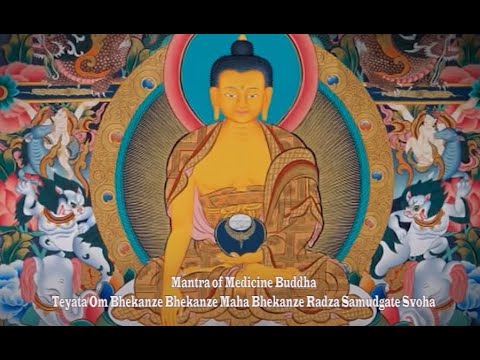
Mantra of Medicine Buddha

Mantra of Medicine Buddha: Teyata Om Bhekanze Bhekanze Maha Bhekanze Radza Samudgate Svoha!